
The room your team runs the casino from.
Not an admin panel bolted onto an API. The workspace the operation actually happens in.
Callisto Operator OS is the backoffice that ships with the platform: players and their money, brands and their settings, payments awaiting review, games and bonuses, marketing, reports, support tickets and platform administration — one workspace, one set of permissions, one audit trail.
Screens, not a feature list.
The artwork below is the product as it ships. Nothing here is a mock-up drawn for a website.
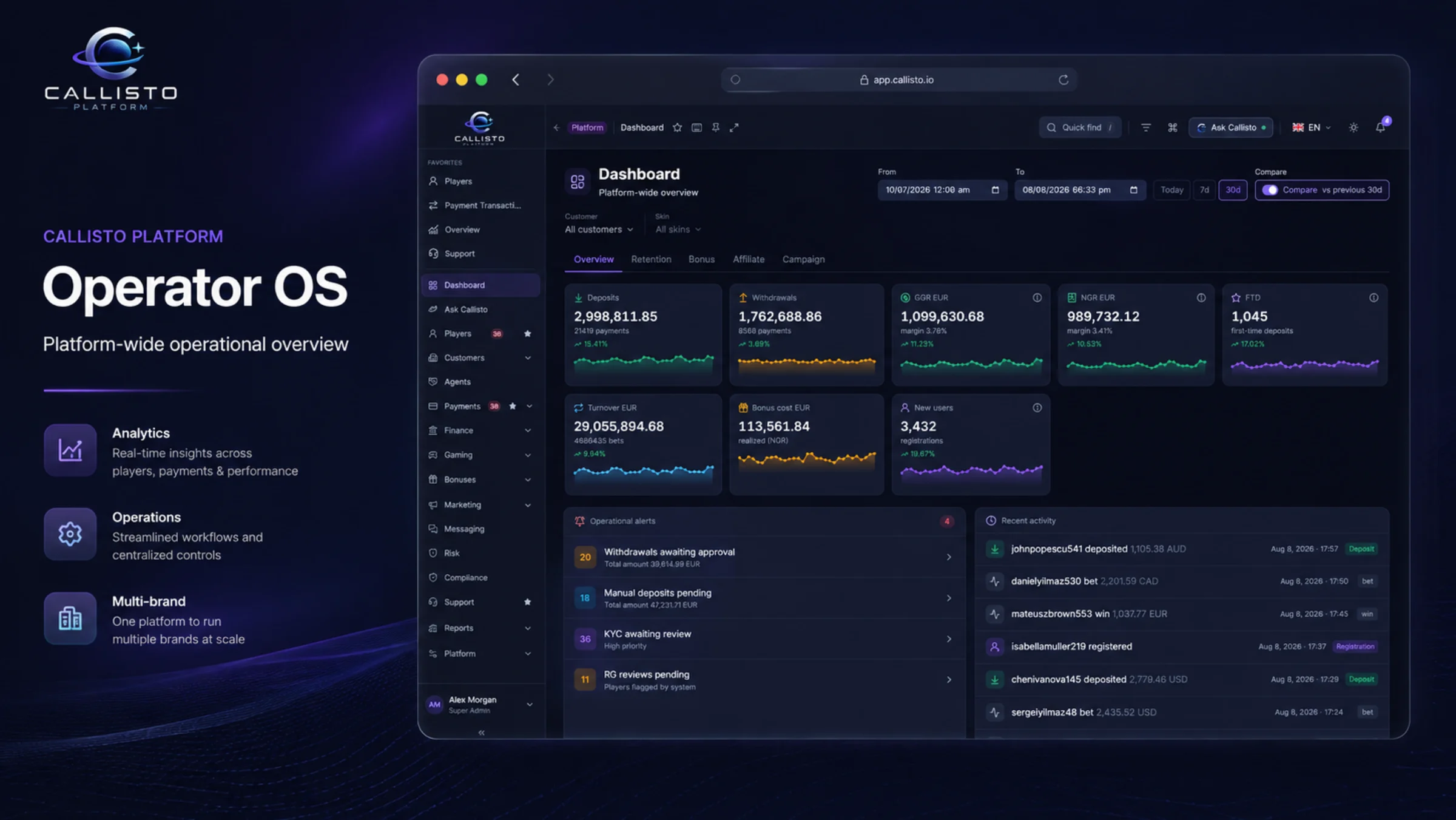
Operations dashboard
The numbers an operator opens the day on — deposits, withdrawals, GGR, registrations and the alerts waiting for someone — scoped to the brand and the period they picked, and remembered for the next visit.
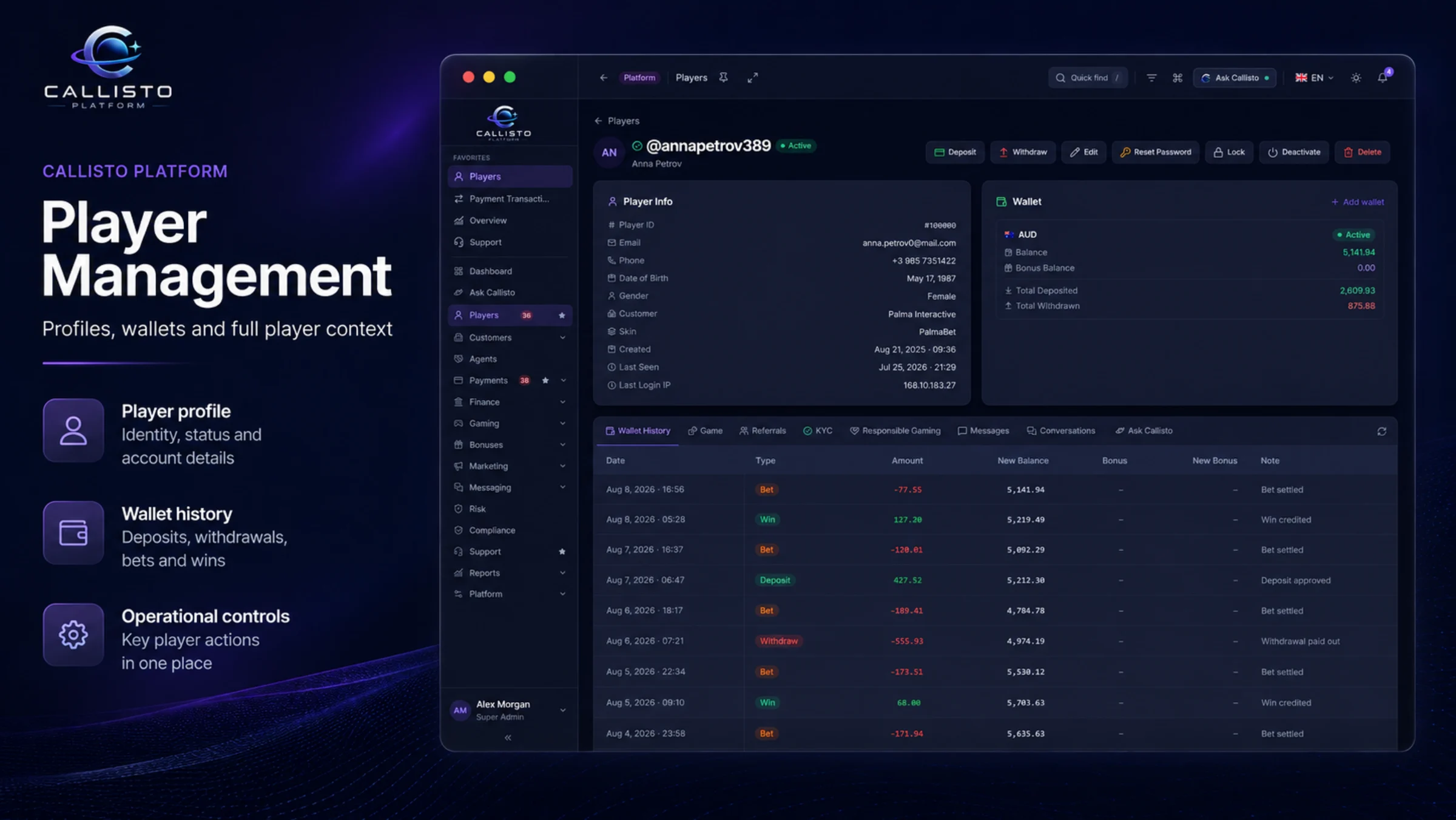
Player management
One player, everything about them: balances across wallets, transaction and game history, KYC status and documents, responsible-gaming limits, bonuses, notes and the log of everything staff have done to the account.
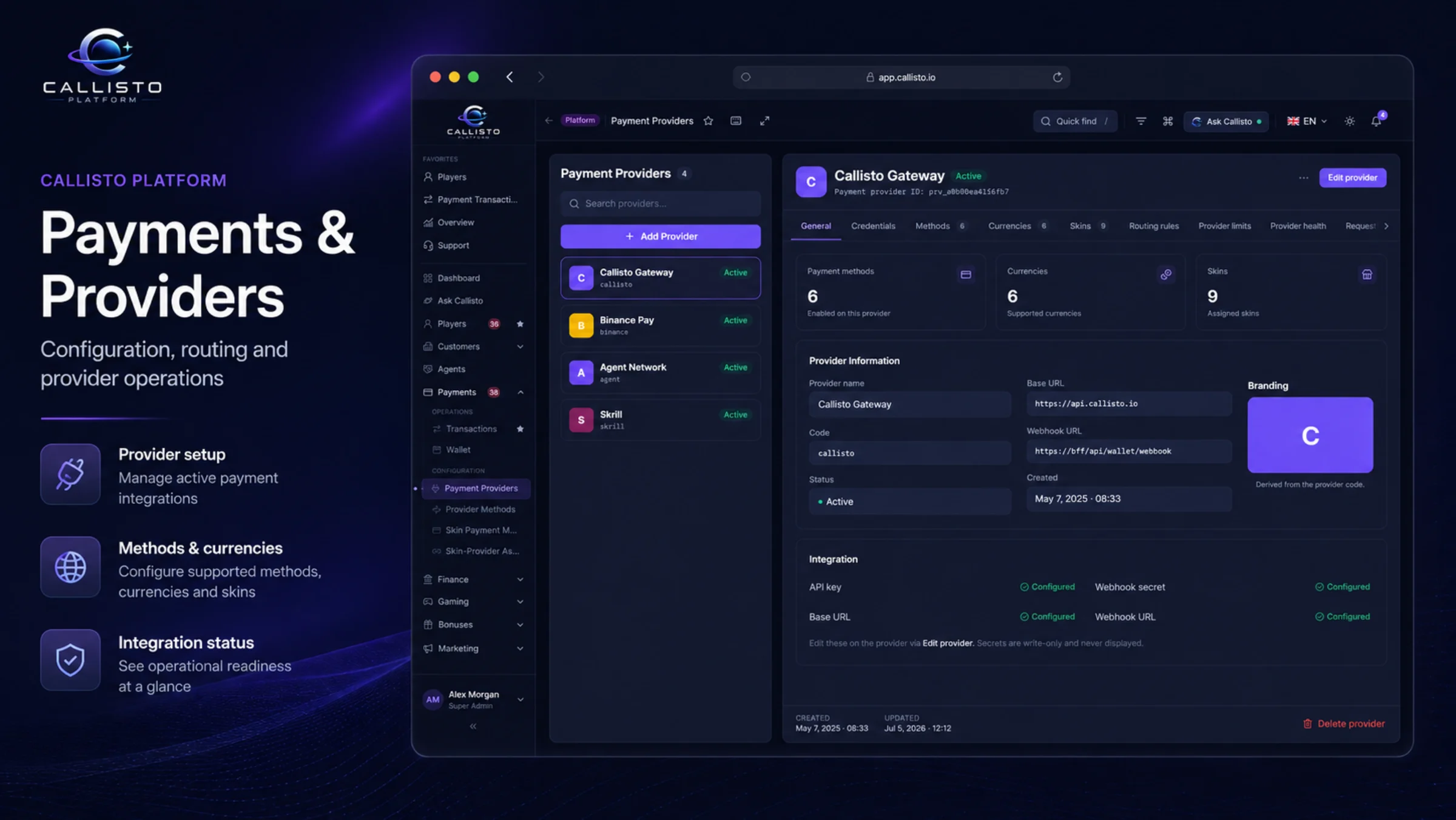
Payments and providers
Deposits and withdrawals as a queue rather than a report: what is waiting for approval, what is on hold and why, which provider handled it, and manual entries when something has to be corrected by hand — each one signed by the person who made it.
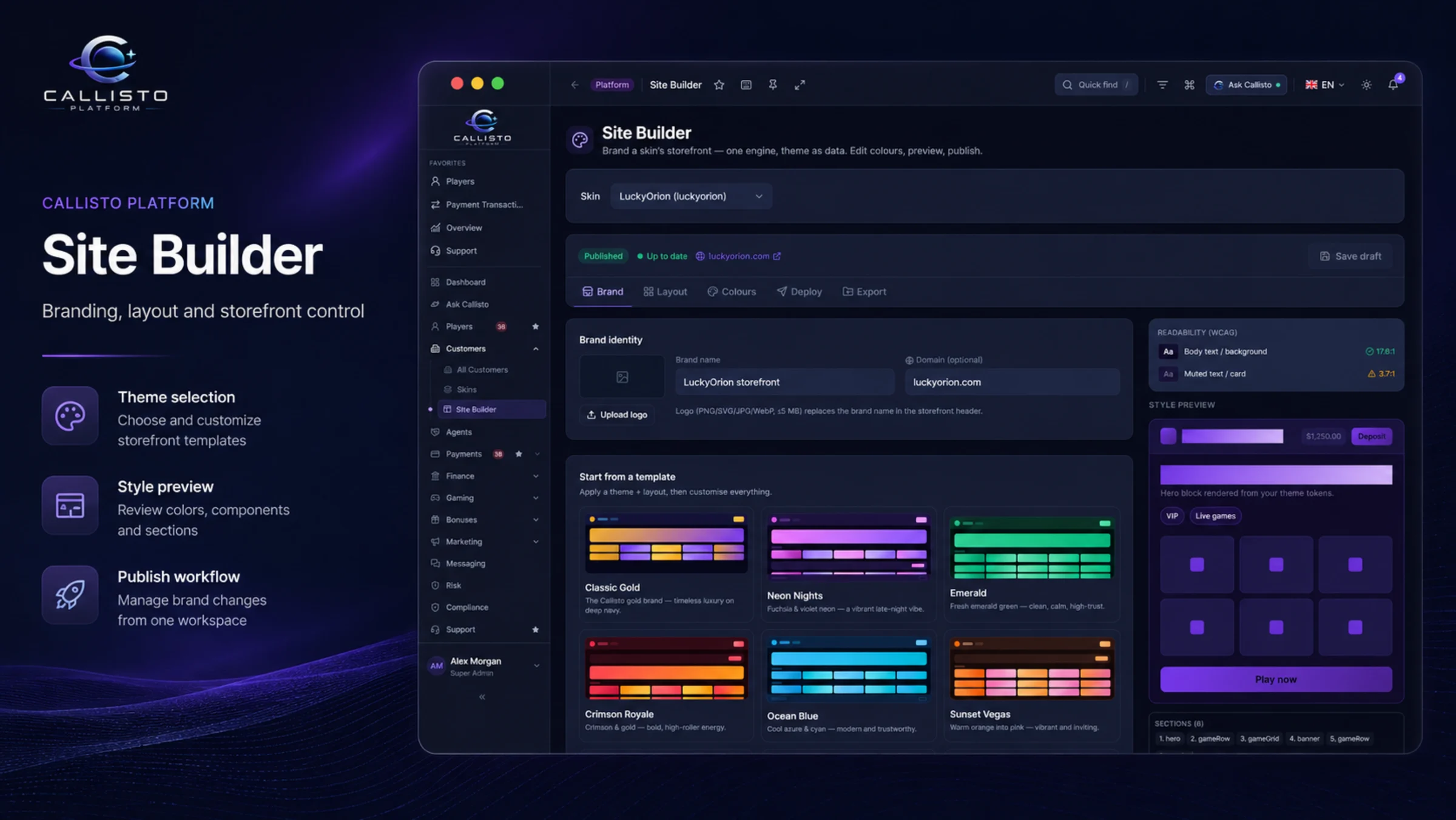
Site Builder
The storefront of each brand — layouts, branding, published pages, legal content and analytics configuration — edited with a live preview and published per skin, without a deployment.
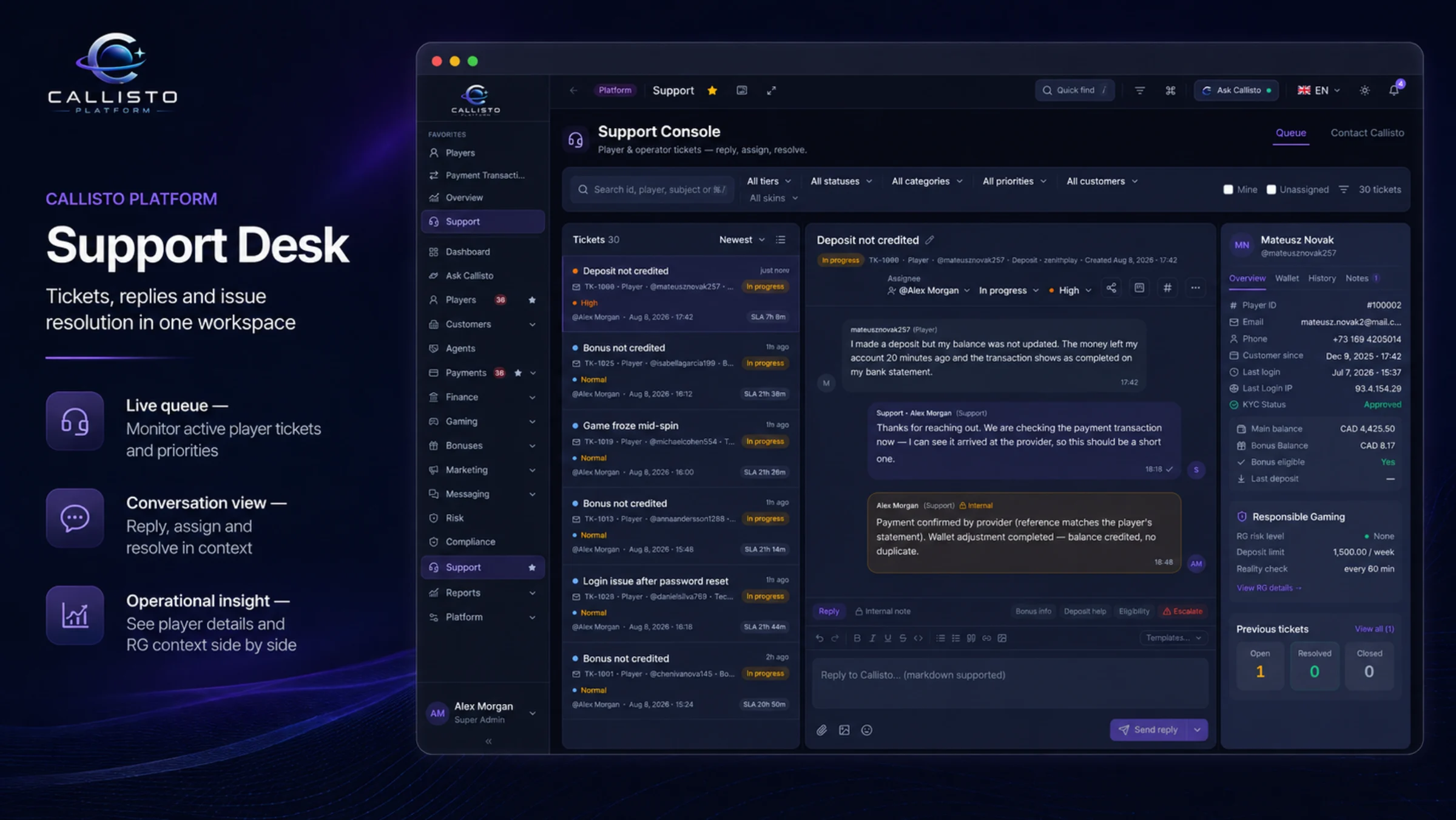
Support desk
Two tiers in one place: players write to their brand, operators write to the platform. Threaded tickets, attachments, internal notes that the player never sees, and a ticket number that survives the conversation.
Every domain the platform has, in one place.
The backoffice is not a subset of the platform with the interesting parts sold separately. If a service exists, its screens are here.
Players and brands
- Player search, profiles and balances
- KYC review and document queues
- Responsible-gaming limits and interventions
- Customers, brands and per-skin settings
- Countries, currencies and languages
Money
- Deposit and withdrawal review
- Payment providers per brand
- Manual adjustments, signed
- Statements, invoices and billing
- Agent and affiliate commissions
Product
- Games, providers and lobby configuration
- Bonus campaigns, free spins and wagering
- Progressive jackpot pools
- Marketing campaigns, segments and journeys
- Site Builder and Content Studio
Oversight
- Reports and dashboards with CSV export
- Risk alerts and compliance cases
- Support tickets, both tiers
- Users, roles and permissions
- Audit log of every action
Permissions that reach a single button.
A casino backoffice holds money, player data and the controls a regulator asks about, so access is not a job title — it is a set of permissions somebody granted, and a record of them granting it.
Roles are made of individual permissions
A role is a named set of permissions rather than a fixed tier, so a payments reviewer who may approve withdrawals up to a threshold and read nothing else is a role you define rather than a feature request.
Scoped to the brands a person works on
Access is bounded by tenant and skin. An operator working one brand does not see the players, payments or reports of another, and a platform-level user sees across them by permission rather than by accident.
Every action is written down
Who approved the withdrawal, who changed the limit, who reopened the case — with a timestamp, in an append-only log. A status that moved with nobody attached to it is the one thing the audit trail exists to prevent.
Session and password policy are yours to set
Password rules, two-factor authentication, session length and idle timeout are platform settings rather than assumptions baked into the code, because the answer differs by market and by operator.
Configure once. Override where it matters.
Settings cascade from the platform to each customer and on to its skins: the platform carries the base defaults, the customer adapts them, and a skin inherits everything it does not need to change. The narrowest defined level wins, which is what makes a second brand a configuration exercise rather than a second deployment — and what keeps a stricter market from inheriting a looser market’s defaults.
Backoffice questions.
What operations teams ask when they are the ones who will live in it.
Included. Callisto Operator OS ships with the platform, in source, and it is the same workspace we use — not a cut-down demo build. There is no per-seat licence in the architecture and no module of it held back as an upsell.
Yes, and that is the point of receiving the source. The backoffice is a React application that talks to the platform through a documented BFF; your engineers can change a screen, add a column, or build a screen that only your operation needs. Nothing here is compiled behind a licence check.
That is the normal case rather than an edge case. Users, roles and data are scoped by tenant and skin, so a group can run many brands from one workspace while each brand’s staff sees only its own. Settings cascade platform → customer → skin, so a new brand starts from sensible defaults and overrides only what differs.
State changes with the person attached: payment approvals and rejections, manual adjustments, limit and policy changes, KYC decisions, case decisions and reopenings, role and permission changes. The log is append-only and, where it matters most, written in the same transaction as the change it describes — so a status cannot move without the record moving with it.
It is built for a desk. The screens are dense on purpose — a payments queue and a player profile are tables, and shrinking a table to a phone makes it worse rather than more portable. It is usable on a tablet; the operation it is designed for happens on a monitor.
Longer than a demo suggests and shorter than a platform of this size implies, because the screens are consistent: the same filters, the same table behaviour, the same detail-page shape across domains. A walkthrough on your own data is the honest way to judge that, and it is what we would rather do than write a number here.
Look at it with the people who will use it.
Bring your operations lead, your payments reviewer and whoever answers to your regulator. A walkthrough on real screens settles in an hour what a feature list argues about for a week.
We reply within a day, usually the same one.